
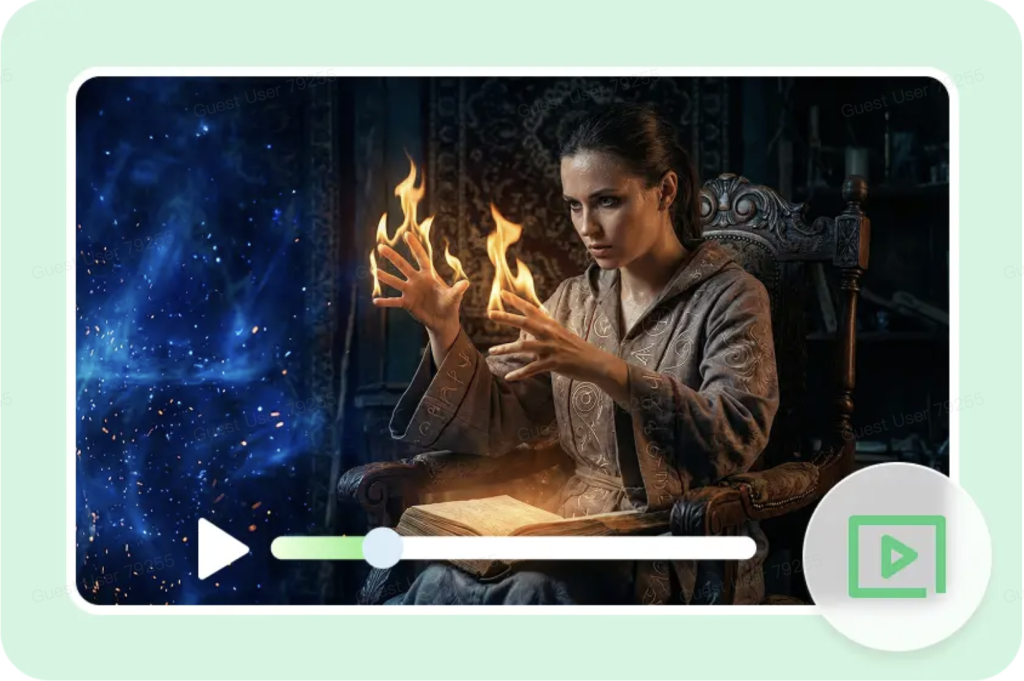
Lighting is a powerful tool in video production that helps craft visual stories, evoking strong emotional responses. It attracts attention, sets the mood, and contributes to the story in scenes. Today’s content creators are using AI features in Pippit to quickly and effectively try out lighting changes. A seed can be used to create a video, which enables the quick exploration of cinematic moods and styles. A variety of lighting tests are used to optimize the brand identity and visual effect. AI-powered workflows make complicated production decisions simple. When it comes to experimenting with lighting, marketing, storytelling, and content creation, workflows become more accessible.
Understanding the Role of Lighting in Video Production
Lighting draws the audience’s attention to important topics within each shot. It creates a mood by using brightness, contrast, and color temperature variations. Shadows and highlights help to show the spatial relationships and enhance depth perception. Video storytelling is enhanced when lighting is used in conjunction with the movement of the video and the requirements of the scenes. Good lighting design can help to clarify, engage, and provide hierarchy for all content. Lighting is also used to create a hierarchy of elements in complex compositions. Naturally directs the eye towards the subject and background. Lighting is a crucial part of professional video production. Lighting helps to make things more realistic, both indoors and out.
How Seedance 2.0 Mini Helps Generate Creative Lighting Styles
With Pippit’s Seedance 2.0 mini, creators can personalize their lighting using prompts. Multiple lighting moods can be achieved rapidly, based on the same concept input. Different configurations can be tried out without much hassle, and a direction can be determined. The lighting contexts created by the AI are integrated with the existing visual resources. Draft generation is very useful for testing out creative ideas prior to production. The system is said to be cost-effective and offers higher speed and output quality. It cuts production costs by almost 40% over older models. The quicker the iteration cycle, the better the T2V and R2V processing speeds. Quick accuracy enables precise control of shadows and highlights. Creators can rapidly and efficiently try out different lighting situations. Visual experimentation minimizes risk prior to production decisions. Seamless workflow across assets, with integration to Pippit. Lighting presets are used to guarantee that a brand campaign or ad is lit consistently. Testing variations enhances decision-making around marketing performance outcomes.
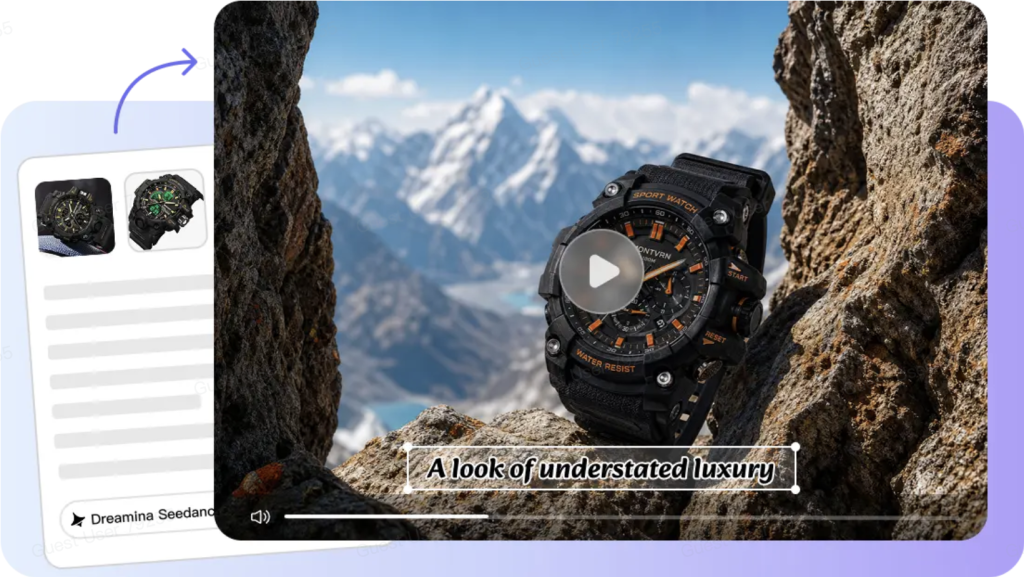
Steps to Experiment With Unique Lighting Effects Through Seedance 2.0 Mini
Step 1: Define your lighting style vision
-
Sign up for Pippit to access the home page.
-
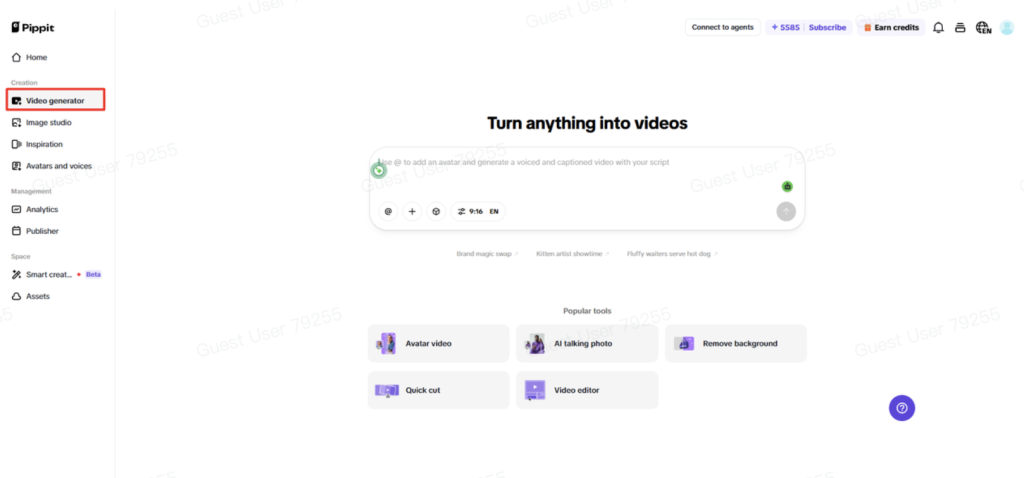
Click “Video” on the main dashboard or access “Video generator” in the left menu.
-
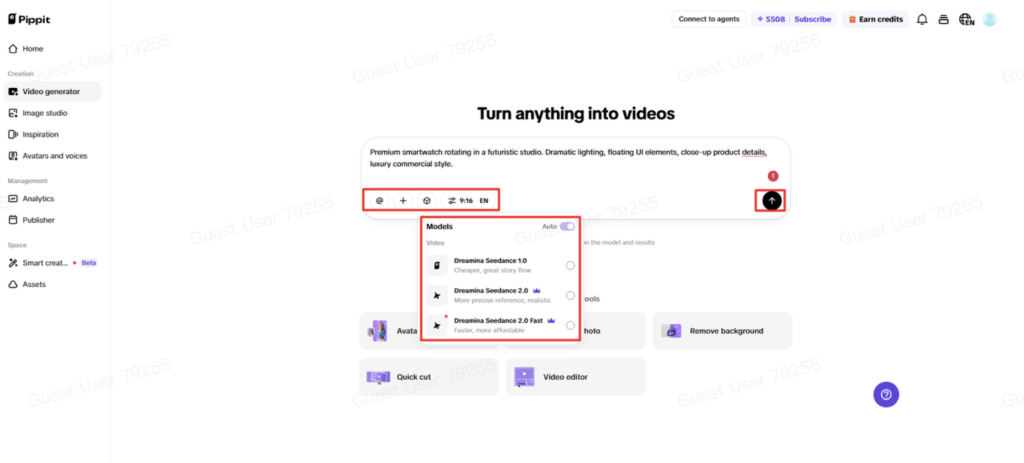
Enter a text prompt and clearly describe the video style, tone, and angles you want.
Step 2: Generate videos with creative lighting effects
-
Click “+” and upload your image, video, file, or link that you want to use for the video.
-
You can also click “Upload a reference video” and choose “Upload” to bring in a sample video, so the AI follows its style.
-
Click “Dreamina Seedance 2.0 Mini” model from the list.
-
Choose the video length, language, and aspect ratio.
-
Click “Generate,” and Pippit starts creating a video based on your prompt.
Step 3: Fine-tune lighting and export
-
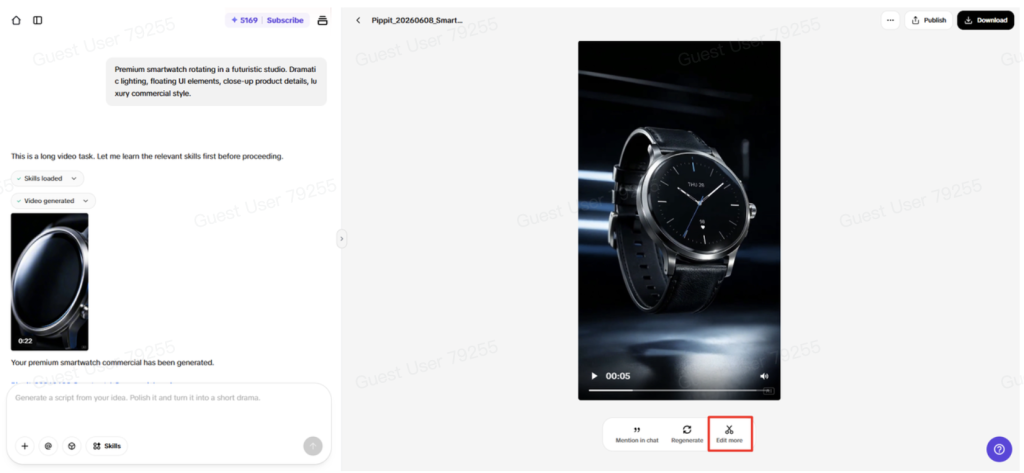
Select your video, and press the Play button to watch it.
-
To make changes, click “Edit more” and use the tools to crop, stabilize, adjust colors, or change the background.
-
Customize your video by editing captions manually, adding text, and adjusting size, alignment, filters, and effects.
-
You can also add background music. When your video is ready, click “Export” in the top right corner.
-
Select “Publish” to post directly to TikTok, Instagram, or Facebook, or click “Download” to save the video with your preferred format, resolution, frame rate, and quality.
Types of Lighting Effects to Explore
-
Ambient light that is soft and gentle, for visual comfort in scenes.
-
The lighting is dramatic, with the use of shadows and lighting to create a sense of contrast and tension.
-
Golden hour-inspired visuals that give warm tones and a natural cinematic glow.
-
The creative lighting effects with neon colors provide a futuristic and vibrant color palette.
-
Spotlight compositions for film focus on the subject(s) with directional light.
-
Low-light atmospheric scenes enhance the mystery and depth of storytelling visuals.
Enhancing Storytelling Through Lighting Variations
Lighting changes emphasize storytelling and provide emotional rhythm from scene to scene when the visual tone, narrative intent, and pacing match, engagement is increased. Shadows are used to create a sense of suspense, with varying degrees of light and dark. Lighting can be utilized to highlight crucial aspects in products, making them more noticeable and attractive. Transitions will appear smoother if light changes from one sequence to another in a regular fashion. Another way to pace is by lighting, to get it brighter or dimmer from one scene to another. Emotional turning points can be well highlighted through the use of visual contrasts. Brands can achieve a consistent look across video campaigns with uniform lighting.
Effective Lighting Concepts for Different Video Styles
Product showcase lighting highlights the clarity of the product and the visibility of its surface details. Lifestyle lighting is the creation of familiar spaces, natural and authentic. Lighting in film creates dimension and emotion in storytelling. Commercial lighting is capable of providing a level of presentation that is polished for marketing communication. Lighting for the creative arts inspires the use of unusual visual aesthetics. They are used for themed campaigns and storytelling, with seasonal lighting to reflect time-specific moods. Each style has a purpose in communicating within content. The selection is based on the audience’s expectations and the campaign goals. Uniform lighting provides a professional appearance on video outputs. Storytelling differentiation in the competitive digital space through creative lighting. Seasonal adaptations make it more relevant throughout marketing cycles and events.
Refining AI-Generated Lighting Effects Within Pippit
Colors and brightness can be tweaked on AI-generated lighting. The background elements can be used together to enhance the coherence of the scene and make it more realistic. Consistency is enhanced if the lighting style is the same for all frames. The Pippit editing tools consist of visual corrections, filters, and cropping. Optimized exports allow it to be used on different social and commercial platforms. Color grading tools are used to fine-tune the mood of a whole video sequence. Brightness balancing ensures good visibility in different lighting conditions. Export for mobile and desktop. Post-production adjustments are made to ensure that the end product is in the desired visual style.
Conclusion
Lighting is still a major factor in creating video content that makes an impact. Using seeds for experimentation enables quicker exploration of various visual atmospheres. Pippit is designed to help you go from concept to video export. Multiple lighting styles are tested to engage audiences and enhance the quality of the story. When working with lighting, experiment to increase creative confidence and production efficiency. AI automates processes, making them more streamlined for content creators. Regular testing results in better visual storytelling. Iteration can help to enhance the quality of the content and keep viewers engaged.
Author
Written by
Recent Posts
Unlocking the Berkshires

Dalia Forman Design

Alberto Luzzi
How to Pick a Homecoming Dress for Your Body Type and Feel Amazing in It
How to Prepare a Home for Sale When Major Repairs Are Not Affordable
Categories
- Art
- Articles
- Business of Luxury
- Celebrities
- Culture
- Entertainment
- Events
- Faces of Summer 2026
- Fashion
- Fashion & Style
- Featured
- Finance
- Food, Spirits, Wine
- Hamptons
- Hamptons Celebrities
- Health
- Health & Beauty
- Lifestyle
- Luxury Lifestyle
- Press
- Profiles
- Real Estate
- Technology
- The Chronicles
- Travel
- Uncategorized
- Weddings