
How to Use Smart Lock Guest Codes for Cleaners, Sitters, and Short Stays
If you share home access with cleaners, pet sitters, family helpers, or short-stay guests, you will realize how useful a smart lock guest code could be for your home security. More often than not, you wish to know exactly who entered and when. Shared household PINs could make that hard, but a smart lock can issue time-limited guest codes and give you clearer access details with less day-to-day confusion. The setup is quite simple. This article will help you walk through this whole one-person-one-code process from when to use temporary access codes instead of family codes to how to issue a guest code per person and revoke access when the visit ends.
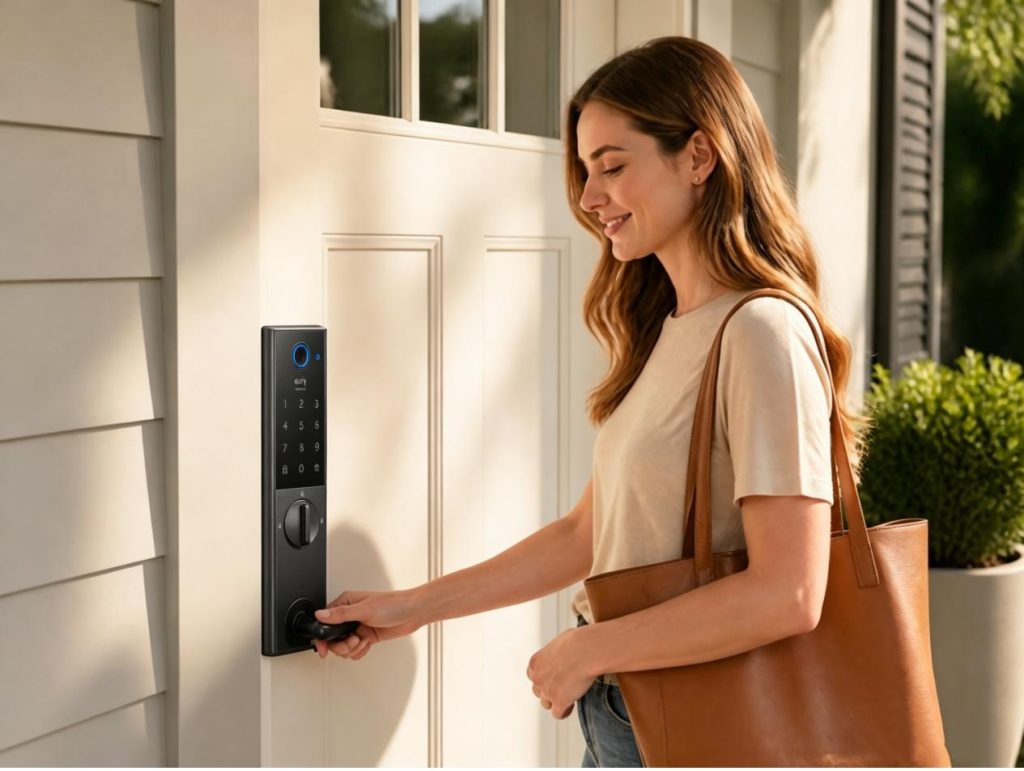
Temporary smart lock guest code vs your family code
You may ask, when should I use a temporary guest code instead of a family code? A simple way to decide is this: If someone only needs access for a specific job or a limited time, give them a temporary code. If they live with you and need regular entry every day, keep them on a family code.
The biggest reason is clarity. A family code is built for people who live in the home and come in and out all the time, so it is meant to stay active long term. But a temporary guest code does the opposite: it gives access for a defined window, then it expires or gets removed, so it is meant for short-term household visitors such as cleaners, sitters and short-stay friends. This split also gives you much better safety and visibility. It can avoid sharing your main household PIN with people who only need short-term access, and it makes audit easier when a package goes missing or a check-out time is disputed because it allows you to quickly see which code was used and when.
Another practical advantage is offboarding. With a temporary guest code, ending access is simple and low-friction. You can let it expire automatically or delete it in seconds after the visit ends, and not worry about affecting anyone else in the household. But a family code is mostly reserved for household members and benefits their stable daily use without repeated setup – changing access often means changing a code that other trusted people still rely on.
| Access type | Best for | Recommended duration | Why it works |
| Temporary guest code | Cleaners, sitters, visitors, short-stay guests | Hours to days | Easy to audit and easy to revoke |
| Family code | Household members | Long term | Stable daily use without repeated setup |
How to name codes and set expiration windows
Use names you can understand at a glance. Mia – Tuesday cleaner is better than Guest 1; July 20 checkout is better than Weekend. A useful label usually has a name, a reason for access, and a date or repeat pattern.
For a one-off appointment, start the code a little before the planned arrival and end it after the expected finish. A 20-minute early buffer is usually enough. For a weekly cleaner, set the repeating schedule in the app rather than leaving a permanent code active.
Check the details before you send the code
It is worth taking one last look before you press Send. Check that the person has their own code, the date and time match the visit, and the lock is not showing a low-battery warning. Then decide whether you plan to remove the code once the visit is finished or let the end time do it.
That is all you need. It is a short pause that prevents an expired code, the wrong weekday, or an avoidable lockout.
Give visitors the information they need
Most visitors do not need instructions about every feature in your lock. They need the code, the hours it works, and one way to reach you if the door does not open.
You might send a cleaner this:
| Hi Maya, your code is 4829. It will work Tuesday from 8:30 AM to 12:30 PM. Please keep it to yourself. If the lock beeps or does not unlock, text me first and I will check it from the app. |
For a short stay, change the middle line to the check-in and check-out times. Plain language works better than a long set of house rules buried in a message thread.
Remove the code when the visit is done
When a guest checks out or a service visit ends, open the app and remove the code. It is a small action, but it keeps your active-code list from turning into a record of people who no longer need access.
An expiration time is still worth setting. Treat it as the backup plan, not the only plan. If you are standing at the door after a checkout and can remove the code then, do it then.
Keep an eye on battery status
Guest code reliability depends on power health. Low batteries are easy to ignore until a scheduled visitor is waiting outside. Check the battery warning before you share a code. If you see low-battery alerts, replace batteries early instead of waiting for a failure at the door. How often you need to check the warning and replace batteries depends on your smart lock. But if that’s too often, you may find it tiring and you just want convenience.
This is where the eufy Smart Lock C220 fits naturally into this day-to-day guest code and battery management routine. With 8 AA batteries, Smart Lock C220 runs around 8 months (may vary depending on the frequency of the lock being used). This long-lasting power solution will leave you with ultimate convenience and peace of mind by saving you from the labor of changing the batteries often.
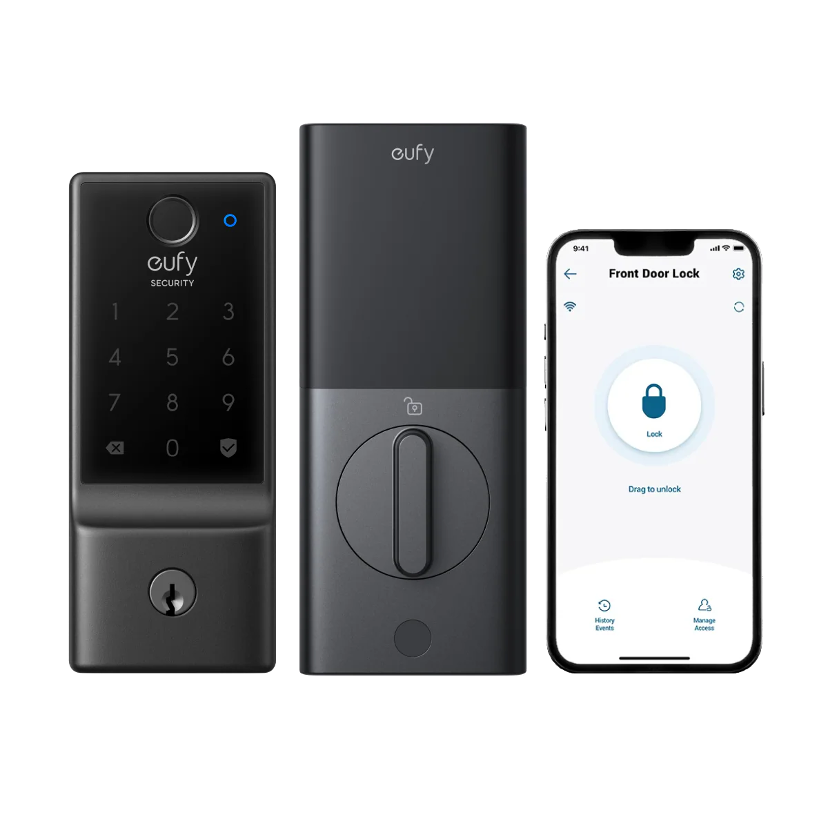
The setup of a guest code on Smart Lock C220 is quite easy. Download the eufy Security app and everything can be finished there, from per-person code setup to access revocation for visitors and service roles. If you want to add a new passcode for a family member or your friends, follow these steps:
- Go to your lock’s page and connect to your lock.
- Tap “Manage Access” at the bottom right corner of the screen.
- Tap “Add Access” and follow the instructions to add passcodes for your family members and friends.
Typically, if you only want guest or service provider to your home for a certain period of time, you can set the “Access Time” according to the app to create a time-limited guest code for them [Source: Smart Lock C220 User Guide (T8506)].
For a front door with heavy daily traffic, the eufy Smart Lock C220, with its built-in Wi-Fi connectivity, supports control from anywhere via the eufy Security app. You can open your door by using the keypad or physical key, by using your voice, by touching the fingerprint lock, or you can simply just unlock the door via the eufy Security app. With an integrated ecosystem, if you have a eufy doorbell or other eufy home security products installed, you can add them to your routines and control devices together for keyless entry within the eufy Security app. There are more available models under the eufy ecosystem. Check them out at eufy smart lock collection and choose the one that fits the way your household actually comes and goes.
Conclusion
Guest codes work best when they stay temporary. Create one for each cleaner, sitter, or guest, name it so it makes sense later, and remove it as soon as the visit is over. That gives you a clearer access history without asking everyone at home to learn a new PIN.
If you want a more complete view of the entryway, a camera can provide context alongside lock activity. See the eufy security camera collection for options.
Author

Written by
Recent Posts
How to Prepare a Home for Sale When Major Repairs Are Not Affordable
From Everyday Comfort to Personal Style: My SHEIN Slipper Habit
5 Best Mitsubishi Heat Pump Companies in Seattle
Tech Gadgets as Modern Corporate Gifts: Useful Ideas for Employees and Clients
Simple Ways to Maintain Your Energy During a Busy Week
Categories
- Art
- Articles
- Business of Luxury
- Celebrities
- Culture
- Entertainment
- Events
- Faces of Summer 2026
- Fashion
- Fashion & Style
- Featured
- Finance
- Food, Spirits, Wine
- Hamptons
- Hamptons Celebrities
- Health
- Health & Beauty
- Lifestyle
- Luxury Lifestyle
- Press
- Profiles
- Real Estate
- Technology
- The Chronicles
- Travel
- Uncategorized
- Weddings